After the initial investment in a company, if you decide to make further investments, you'll need a place to add this to your Portfolio. This is where the follow-on comes into use. Not only can you add further investments here, it is also the place to process any convertible instruments into equity.
Once you are on the company page, you will find the Record an update button in the top-right corner of the screen. Clicking on this button will reveal a dropdown menu with several options. From here, simply select 'Record a follow on' to proceed.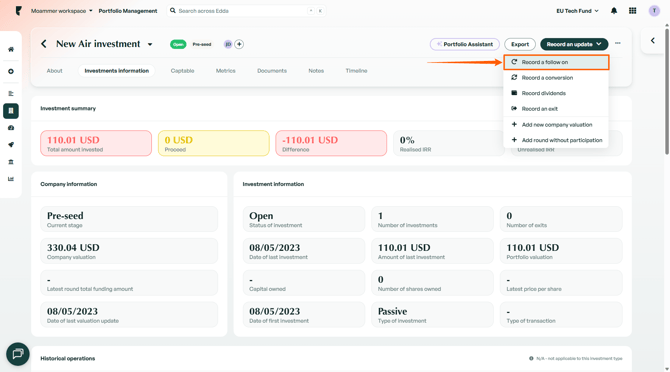
Selecting an Instrument
Upon selecting 'Record a follow-on', you will be presented with a list of investment instruments to choose from.
1. Simply select the instrument that corresponds to the follow-on investment you wish to record, and you will be taken to the relevant input fields to complete the flow. If you wish to add more than one investment type, you will have the opportunity to add it later..png?width=670&height=358&name=image%20(1).png)
2. If you are making further investments within a company, whether in the same funding round or another, this investment can be entered here. The fields and information to be entered are the same as what needed to be entered when you initially added a company..png?width=670&height=372&name=image%20(2).png)
Further information regarding adding companies can be found here.
3. Once you've filled in the form, you'll be asked for shares information in the next step. This part can be skipped if you so choose. 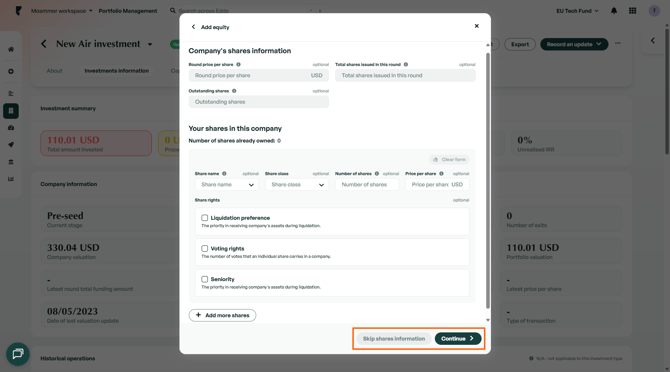
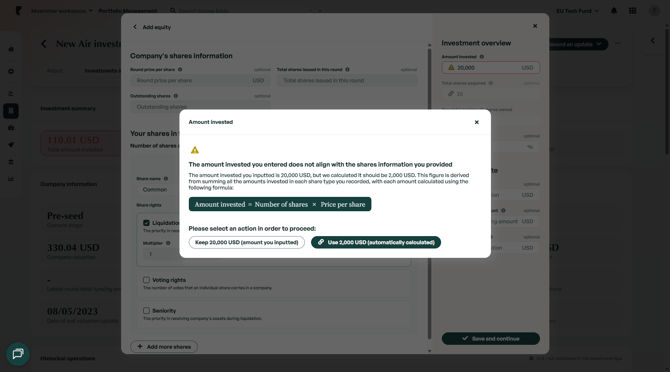
4. If you make a mistake in your calculations upon entering shares information, the system will automatically offer to fix it for you. Simply click the yellow warning icon, and you'll get to choose if you wish to keep the numbers added manually numbers regardless, or let the system match them for you.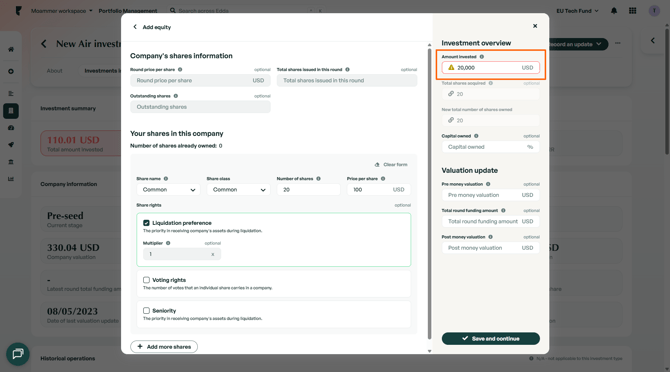
5. Finally, once you've saved and continued with your entry, the next page will show you a preview of your follow-on. On the same page, you can choose to add other investments before you submit.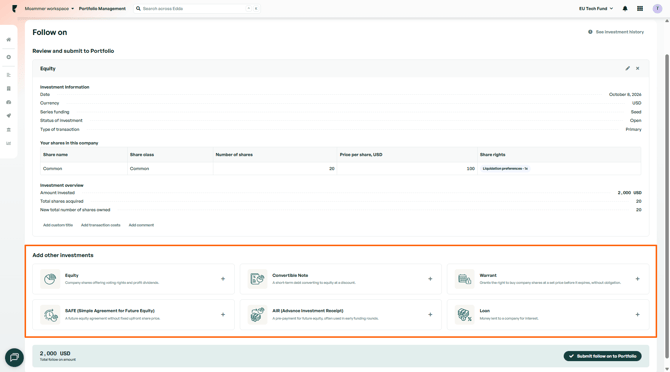
Conversion to Equity
If you own any instruments that can be converted to equity, like a convertible note for example, an option to make a conversion will be available in the Company profile → Record a conversion dropdown.
1. To make a conversion, simply click the 'Record a conversion' button.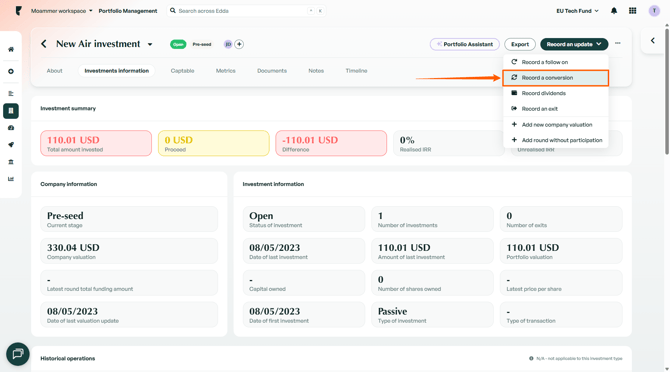
2. The investment option will then become available to convert, as well as further fields for you to input information relating to the conversion. Depending on which instrument you have chosen, there may be different fields corresponding to different instruments..png?width=670&height=373&name=image%20(3).png)
3. Just like before, the final step will present you with an overview of your entry. Add other investments to it, or simply click 'Submit follow-on to Portfolio' to complete the flow.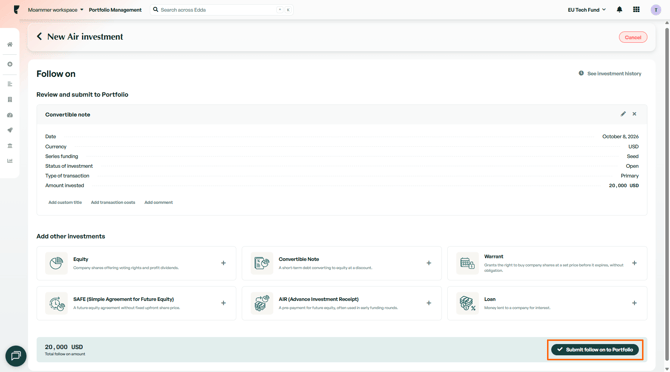
You also have the option to update/edit the existing captable in your company. More information on captables is available here.
As always, if you have any follow-up questions, we remain at your disposal via chat or email.